
Real-Time Project Tracking on the Dashboard
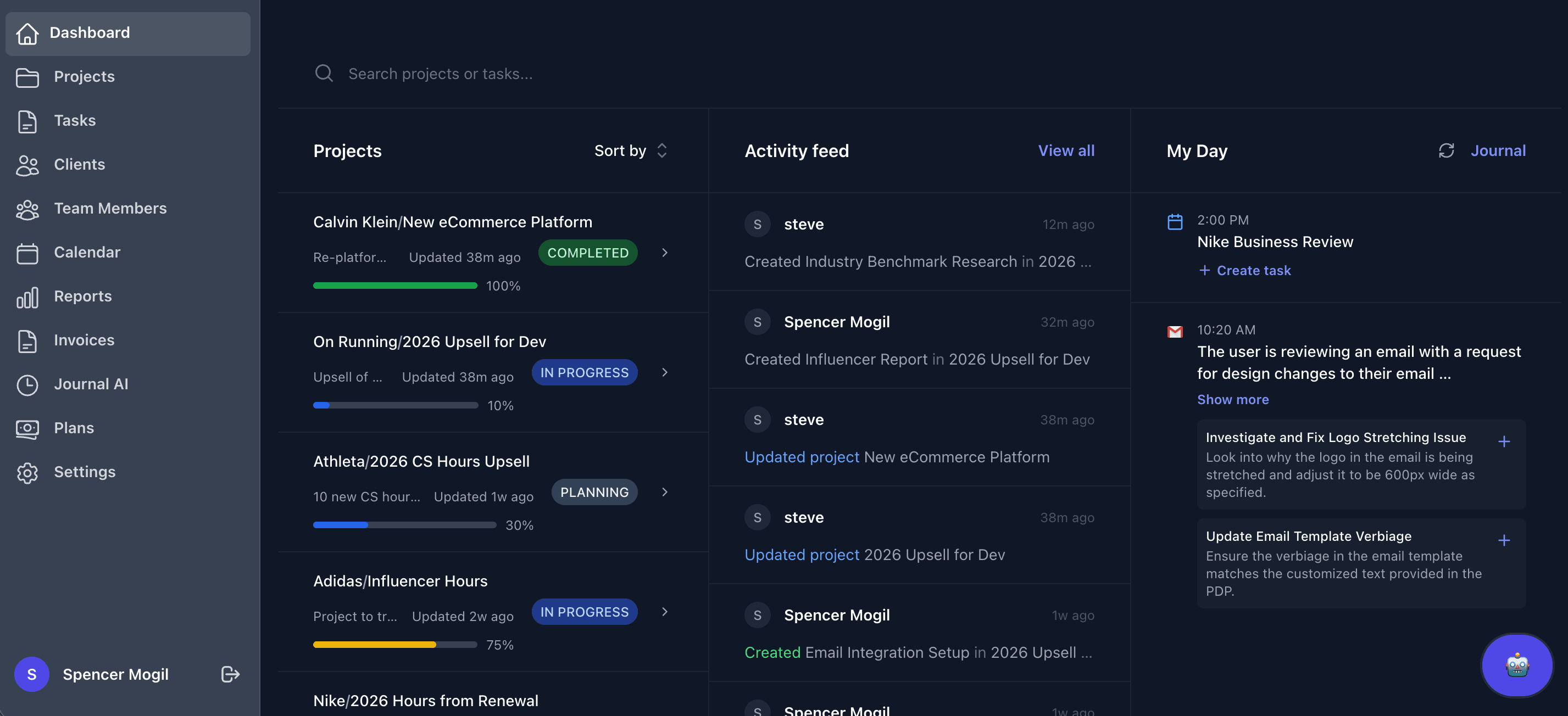
On the Dashboard, you get a live view of project health, including completion percentages and recent team activity. The My Day panel adds daily context by showing connected Google Calendar events and Journal AI insights from screenshot analysis, so you can quickly see what work happened and what's coming next.
Having all of this in one place means less time spent chasing status updates across email threads or spreadsheets. Your team starts each day knowing exactly where every project stands and what needs attention before it becomes a problem.
Task Management Built for Project Tracking
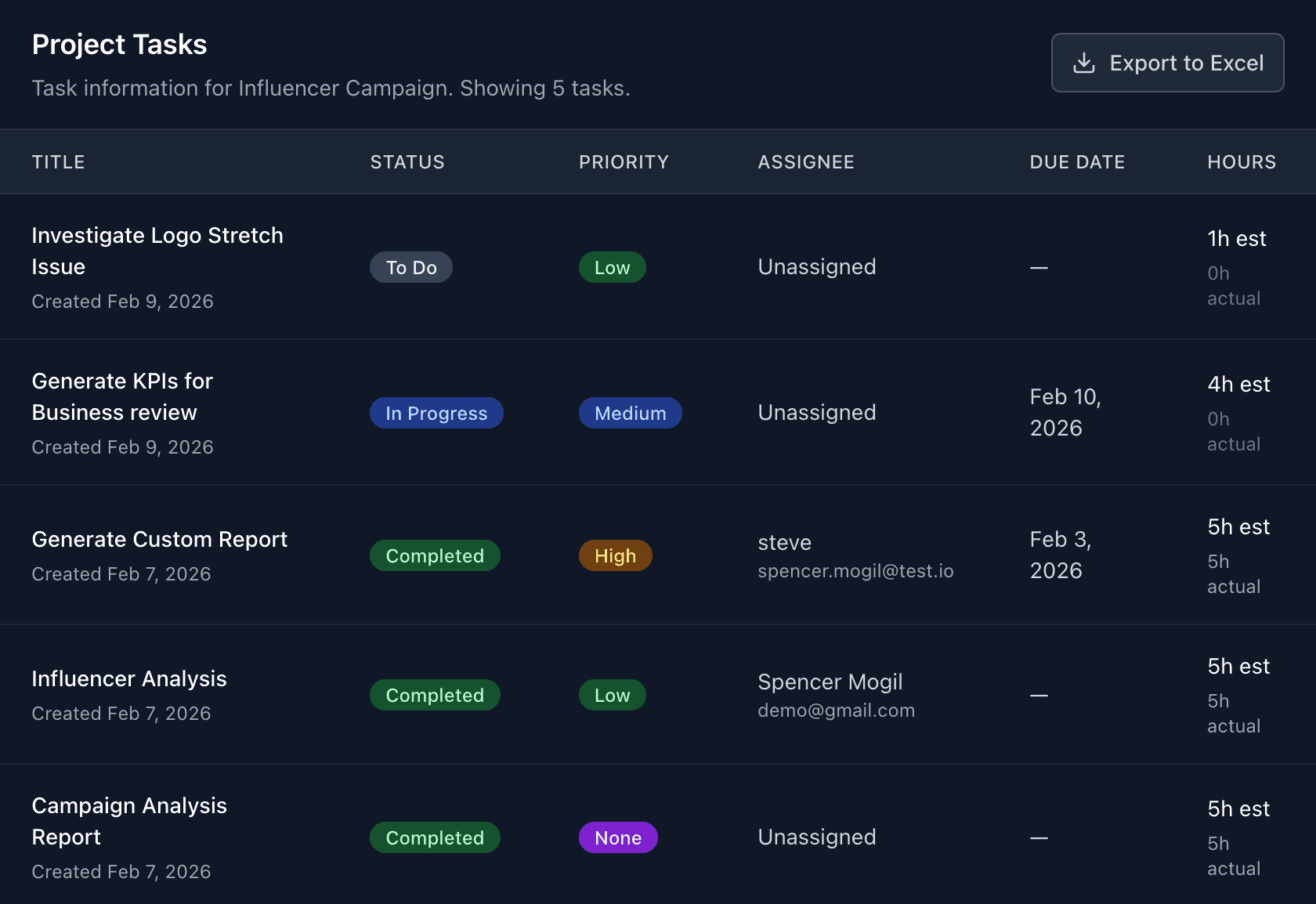
Task management is built to be fast and consistent. Each task is tied to a project and includes key fields like assignee, priority, estimated hours, and billable status. Built-in start/stop timers make it easy to capture actual time without switching tools.
Because every time entry is linked directly to a task and project, nothing gets logged in a vacuum. You always know what the time was for, who logged it, and how it maps to the overall budget, which makes billing and internal reviews significantly faster.
Set Billing and Cost Rates for Accurate Reporting
To improve reporting accuracy, Tail AI supports both billing and cost inputs. Billing rates are set on the client record, while internal cost rates are set for team members and individual users. With those inputs in place, Tail AI can calculate profitability and spending vs. budget automatically.
This separation between what you charge clients and what work actually costs your team is what makes the profitability data meaningful. Rather than estimating margins after the fact, you can see them update in real time as hours are logged throughout the project.
Deep Dive Into Project Details
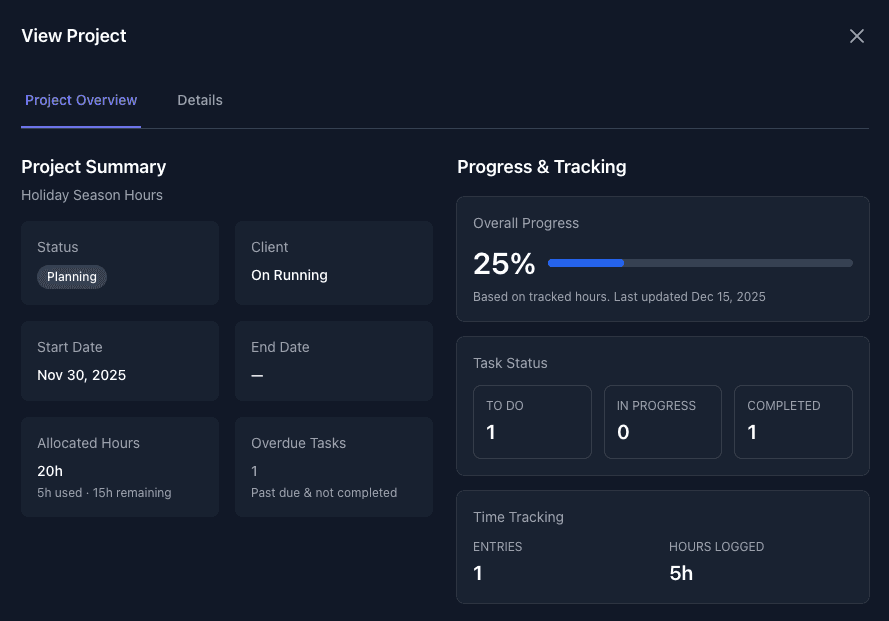
From the Projects page, you can open any project to view a full Project Overview. This includes status, allocated hours, used hours, remaining hours, overdue tasks, and progress. You can also review all related tasks and export task data when you need to share updates internally or with clients.
This view is especially useful during client check-ins or internal reviews. Instead of pulling numbers from multiple sources, everything is consolidated so you can walk into a meeting with a clear picture of where the project stands and what's left to deliver.
Profitability Is a Core Part of Project Tracking
Tail AI updates profitability and spending vs. budget reports in real time using billable and cost-rate data. On the Reports page, you can filter by highest and lowest margin projects to quickly identify where to optimize. Reports can be exported to CSV for further analysis.
As projects fill with data, you will have more actionable insights arise from the previously mentioned reports, along with further reporting & analytics capabilities that we will cover in future blog posts. One great feature of the platform is that individual users can enable a low hours alert email. That way, if a project dips below 20% of its allocated hours, the user, and whoever has that alert enabled, will receive an email letting them know that the project has a low amount of hours, so that they can get a head start on getting those hours replenished for the client.
Get Instant Answers with the AI Assistant
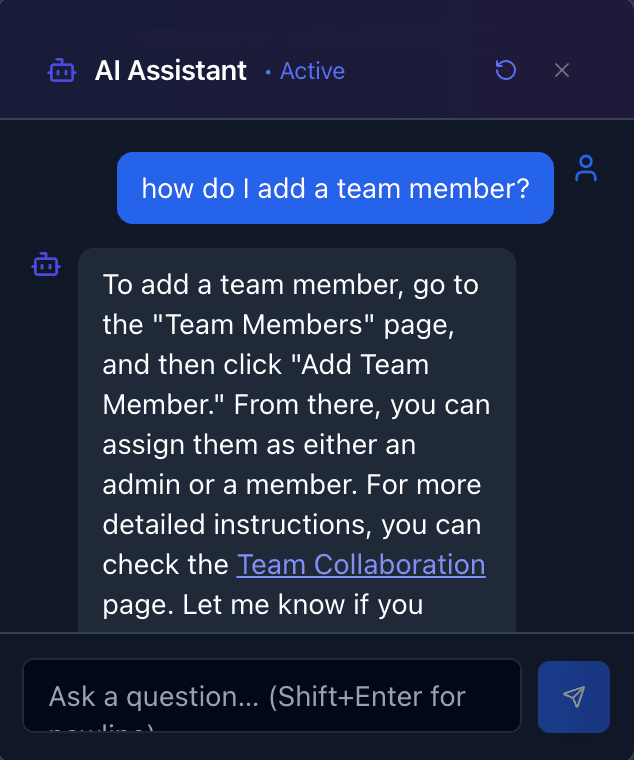
If you ever have a question regarding our project tracking tools, you can at any time talk to our AI Assistant who will instantly answer your questions and reference specific doc pages that can walk you through how to do a certain action.
Whether you're setting up billing rates for the first time or trying to understand a report, the AI Assistant removes the friction of hunting through documentation. Ask your question in plain language and get a direct answer with links to the exact steps you need.
If you want a clearer view of delivery performance and project margins in one system, Tail AI gives your team the visibility to act faster.