The Companion App Runs in the Background
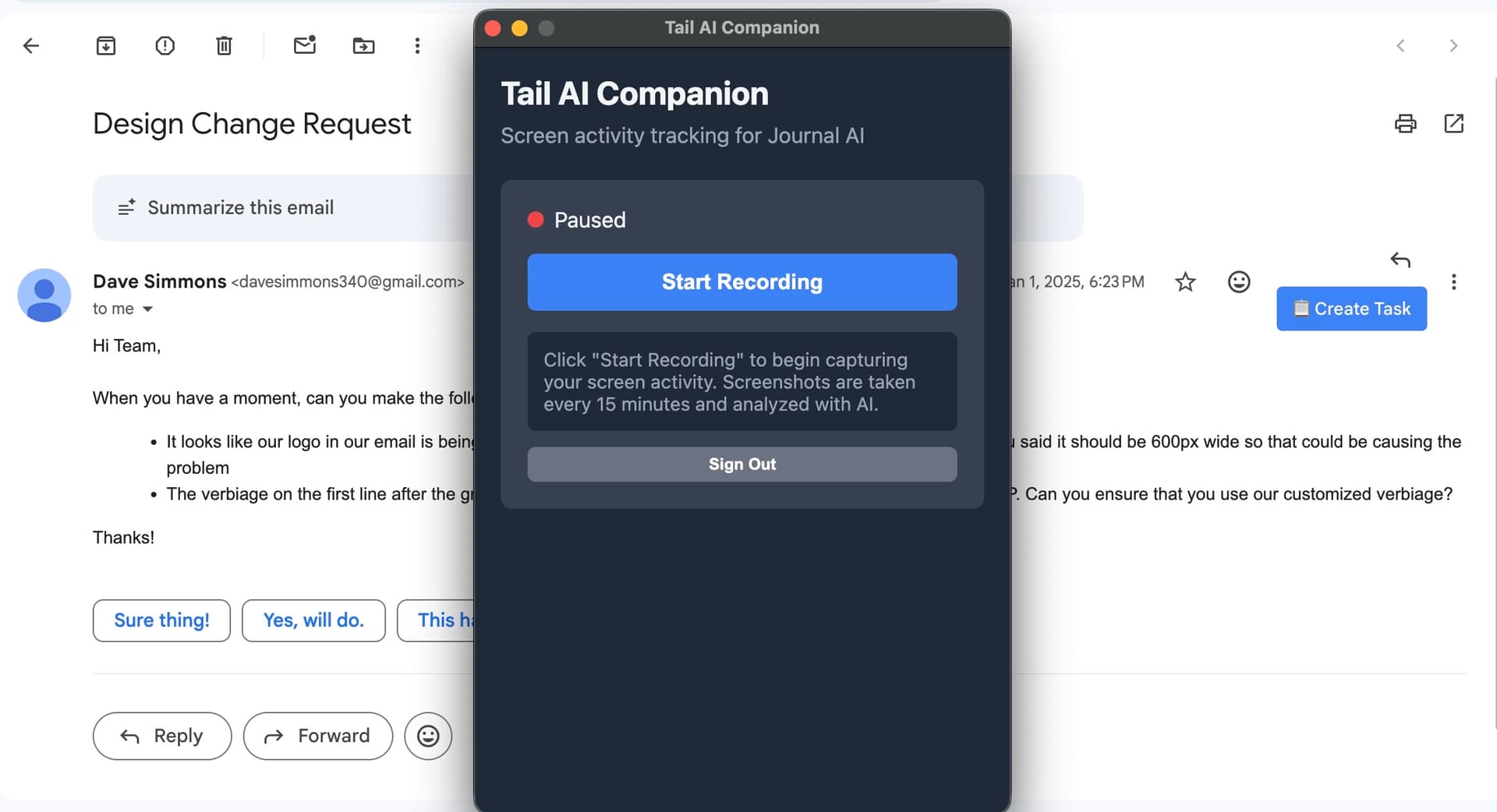
Install the Tail AI Companion app once and it works silently while you focus. It captures screenshots of your activity — apps, browser tabs, documents — and sends them to AI for analysis. You never have to switch context or remember to log anything.
- Lightweight desktop app for Mac
- Choose which window, app, or full screen to capture
- Start and stop recording any time
- Linked to your Tail AI account automatically
Review and Act on Every Suggestion
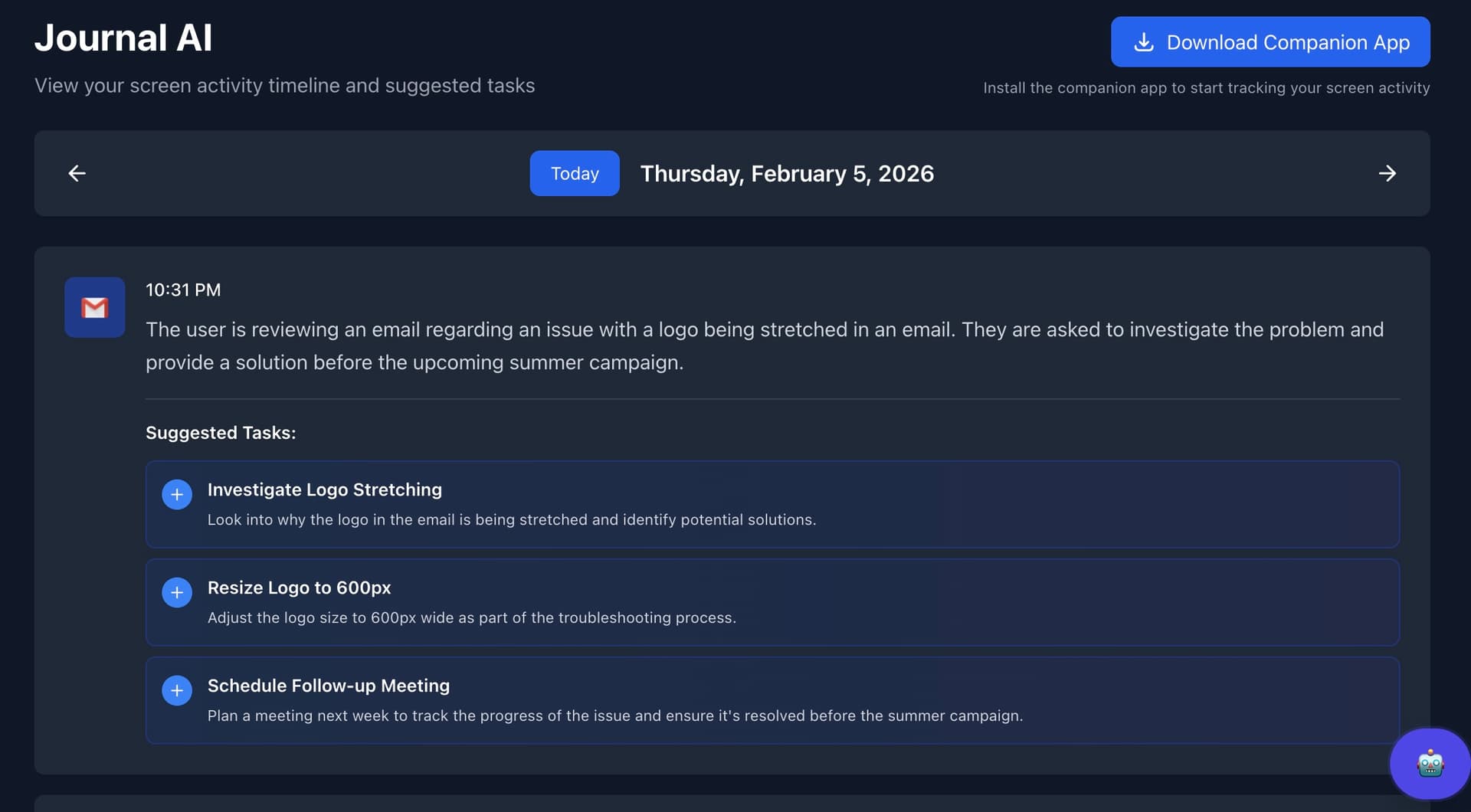
The Journal AI page shows your complete list of AI-inferred tasks from screen activity. Each suggestion includes context about what you were doing so you can quickly decide whether to create a task, attach it to a project, or dismiss it.
- Full history of screen-based suggestions
- One click to create a real task from a suggestion
- Assign to any project directly from the journal
- Edit title and details before confirming
My Day Keeps You Oriented at a Glance
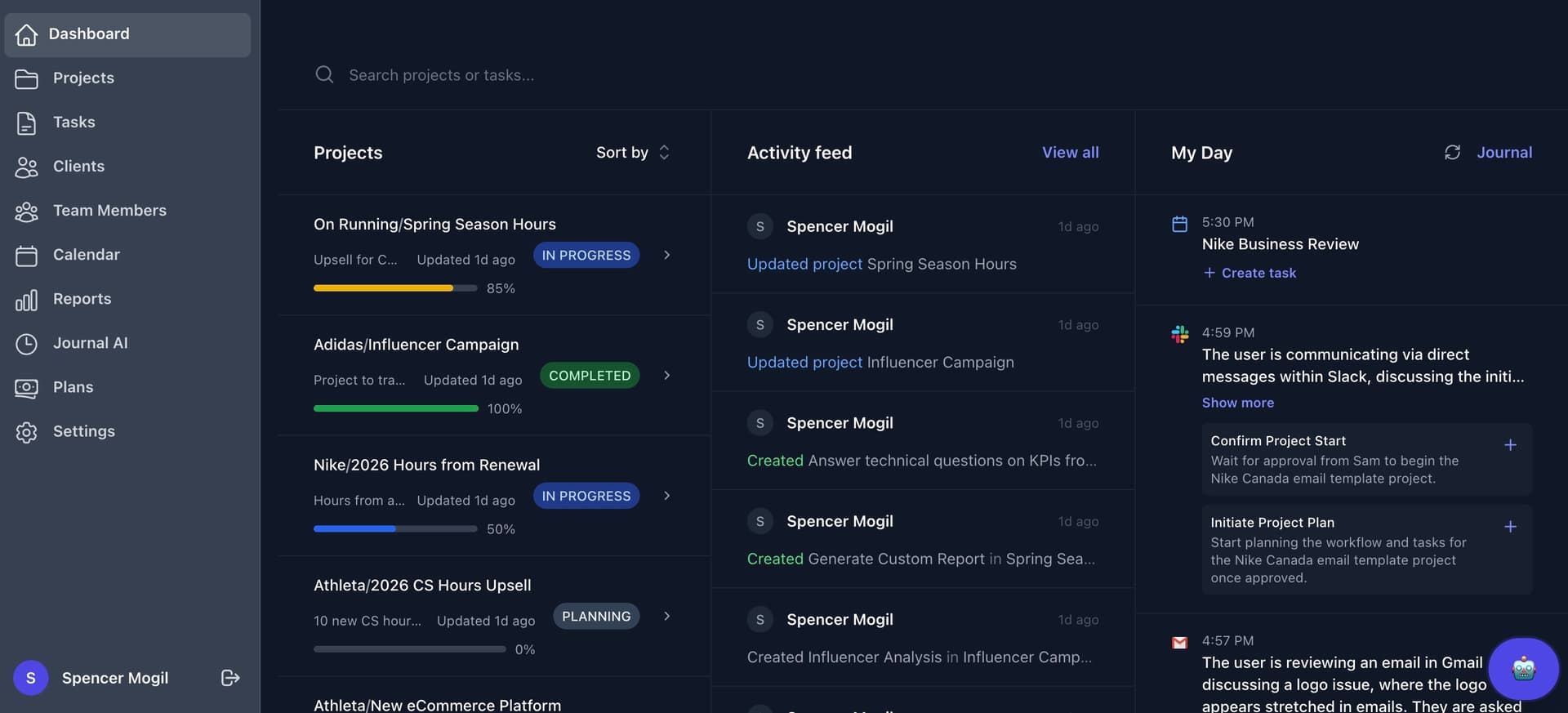
Today's Journal AI suggestions also appear in the My Day panel right on your dashboard. Without leaving your home view, you can see what the AI picked up from your activity and quickly add the relevant items to your task list.
- Suggested tasks from today's screen activity
- Add to your task list with a single click
- Dismiss suggestions you don't need
- Always visible without switching pages
Everything You Need to Stop Losing Track of Your Work
Journal AI brings together passive capture, intelligent inference, and full user control so your task list reflects what you actually did.
Screen Activity Capture
The Companion app runs quietly in the background, capturing screenshots of your active windows so nothing slips through the cracks.
AI-Powered Task Inference
Screenshots are analyzed to understand what you're actually doing — writing a doc, reviewing code, replying to emails — and tasks are proposed from that context.
My Day Integration
Suggested tasks surface directly in the My Day panel on your dashboard, giving you an at-a-glance view of what you've been working on today.
Full Journal View
The Journal AI page shows your complete history of screen-based suggestions. Turn any into a real task, assign it to a project, or dismiss it.
Zero Manual Entry
Stop interrupting your flow to log tasks. Journal AI proposes work items from context so you never have to remember to write things down.
You Stay in Control
Nothing is created until you confirm. Review, edit, assign, or ignore every suggestion — Journal AI assists without ever making decisions for you.