Time Approvals
Give your team a structured approval workflow for time sheets. Team members submit their logged hours, managers review and approve or deny, and everyone is kept in the loop with automatic email notifications.
How it works
Team member submits their time sheet
Once a team member has finished logging their hours, they submit their time sheet directly through Tail AI. The submission includes all logged hours and task breakdowns. Their manager receives an email notification immediately — no chasing people down or forwarding spreadsheets.
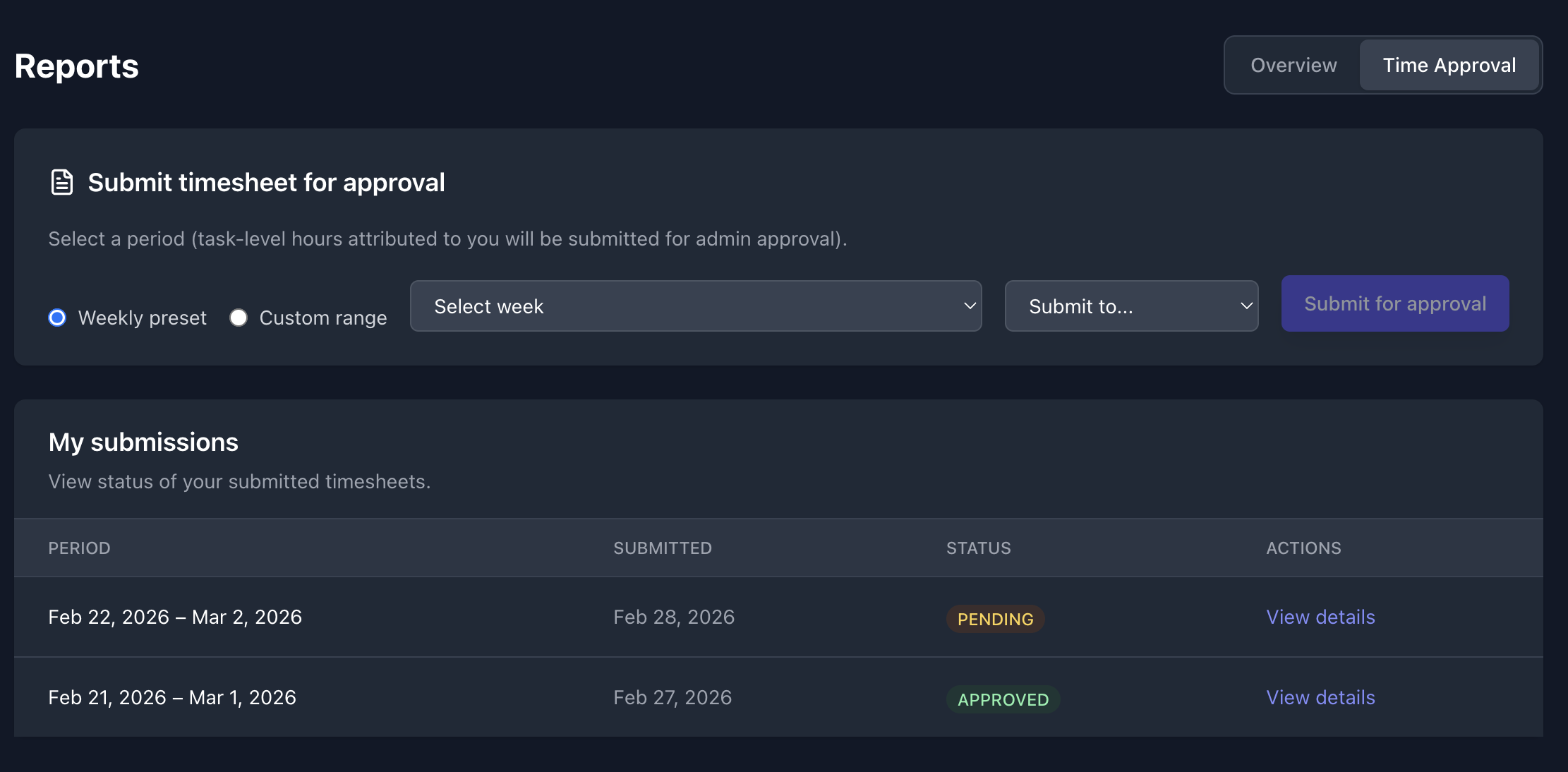
Manager reviews and approves or denies
Managers see all pending time sheets in one place. Review the submitted hours and approve what looks right, or deny with a note. The team member is automatically notified of the outcome by email — keeping the feedback loop tight and transparent.
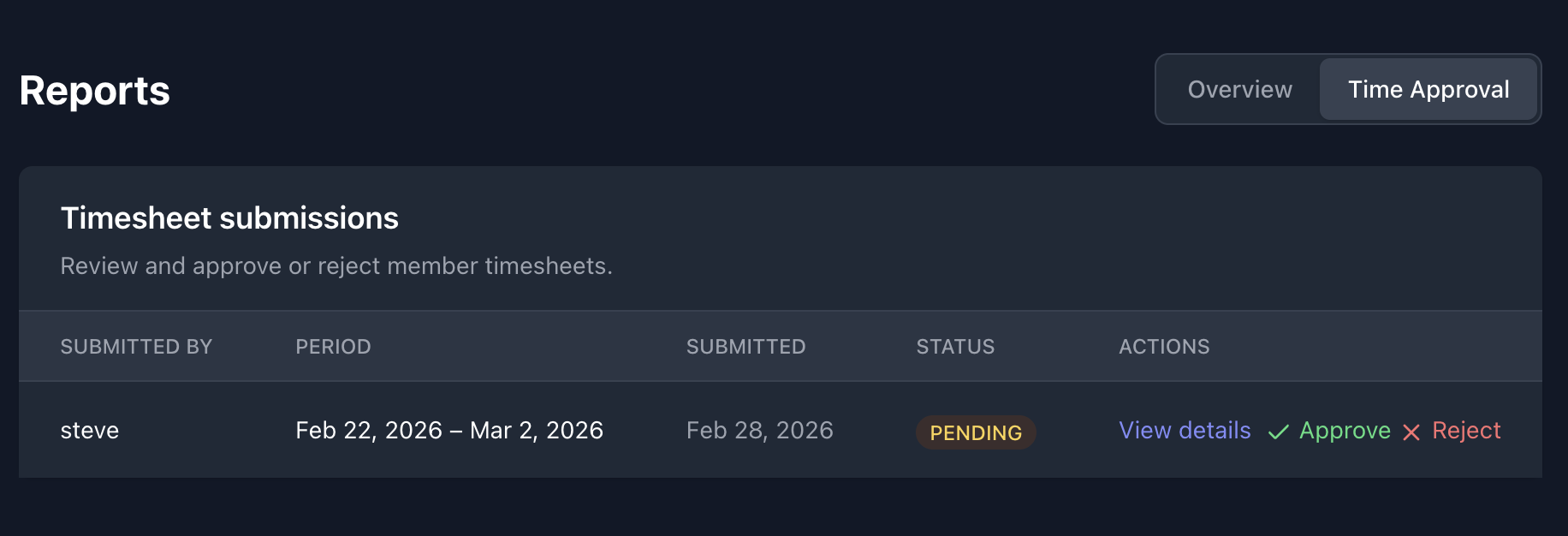
Team member is notified of the outcome
When a manager approves or denies a submission, the team member receives an automatic email so they always know the current status of their time sheet. No need to follow up manually — the workflow keeps everyone informed.
Configuring notifications
Not every team wants the same notification setup. Tail AI lets you control who gets alerted and when.
Manager alerts — Managers receive an email whenever a team member submits a time sheet. This can be toggled per manager so each person's inbox stays relevant.
Member status emails — Team members receive an email when their time sheet is approved or denied. This setting can be toggled per member based on your team's preferences.
Where to find it
Submitting time — Navigate to your time sheet view and use the Submit button to send your hours for review.
Approving time (managers) — Left navigation → Time Approvals. All pending submissions appear here for review.
Notification settings — Left navigation → Settings → Notifications. Configure manager and member email preferences here.
Availability
Time Approvals is available on paid plans. View pricing to see which plan includes this feature.