Reports & Analytics
Track productivity and generate insights from your data
If we want to access reports, we will got to the "Reports" page where we have high level reports based on data within your account. We have three out of the box reports that are helpful, which show task distribution by team member, a Project Completion visual, and a task completion timeline.
However, if you want to create a custom report, you can try out our Custom Reports via AI feature that is in beta.
Here we are going to make a custom report for not started tasks by team members.
If we want to export all tasks done on a project, we can simply go to the individual project and click on it, and then you will see an export call to action within the project card.
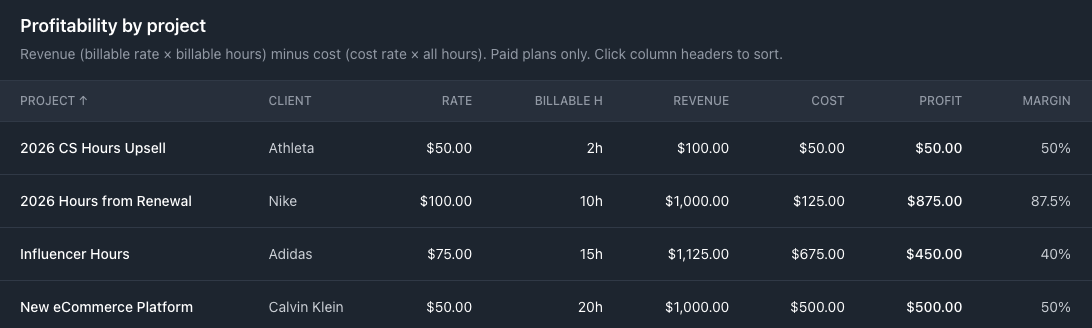
With this release, paid users can access Profitability Reports so that users can analyze profitability on a project basis, since we can set billable rates on a client or project level, and internal costs can be defined on a team member basis. You can sort projects by the most profitable to find lucrative projects with high margin or spot low margin work.